
What is <canvas>?
The <canvas> element is new in HTML5 and is a tag similar to the <div>, <a>, or <table> tags that can be used to draw graphics on the go through scripting.
The element is simply a container for graphics in which you can draw. As it has no border or content by default, height and width attributes must be specified. Once placed inside the HTML5 document and given an id, you can target the tag with JavaScript, create a context, and then utilize it to create visualizations. A context has properties and methods which you can use to render graphics inside the element.
<canvas> is Very Flexible
<canvas> can be used to represent a wide range of things visually in your browser, from the simple to the complex and visually or functionally stunning. These include:
- • Diagrams involving paths, boxes, arcs, curves, and circles
- • Shadows
- • Gradients
- • Transparencies
- • Text fills, strokes, alignment, and measurement
- • Scaling and rotation
- • User interfaces
- • Adding images by URL, photo manipulating and compositions
- • Charts and graphs
- • Animations
- • Games
- • Real-time video processing or rendering
You can also use it to work around CSS limitations. Multiple <canvas> instances can be used on one HTML page, but each <canvas> element can only have one context.
Supported in All Modern Browsers

All modern browsers support <canvas>, so users of Internet Explorer (above version 8), Firefox, Chrome, Safari, and Opera can experience your designs. Internet Explorer 7 and 8 require the third-party "explorercanvas" ("excanvas.js") file.

Your Lessons for Today
Text Metrics Tutorial
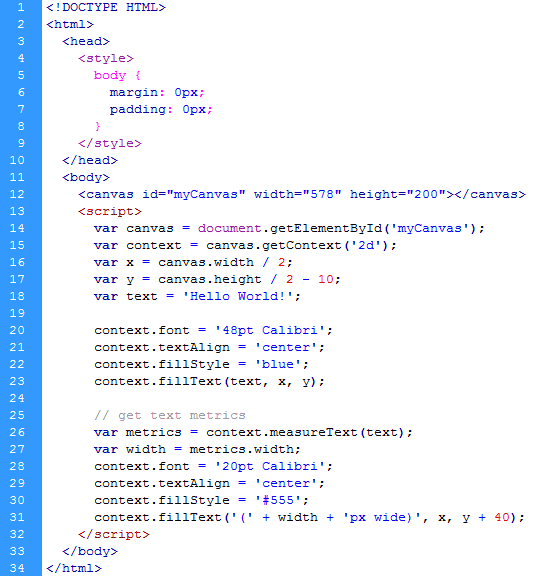
One helpful context you can use is measureText(), which is a method that returns a width property based on the provided text and the font assigned to the context.. As the height of text in pixels is equal to the font size in points when the font is defined with the font property of the canvas context, it does not return a height value.
This is what you get.

Here is sample code to achieve it.
Interactive Flower
Click here to pick off its petals by dragging.
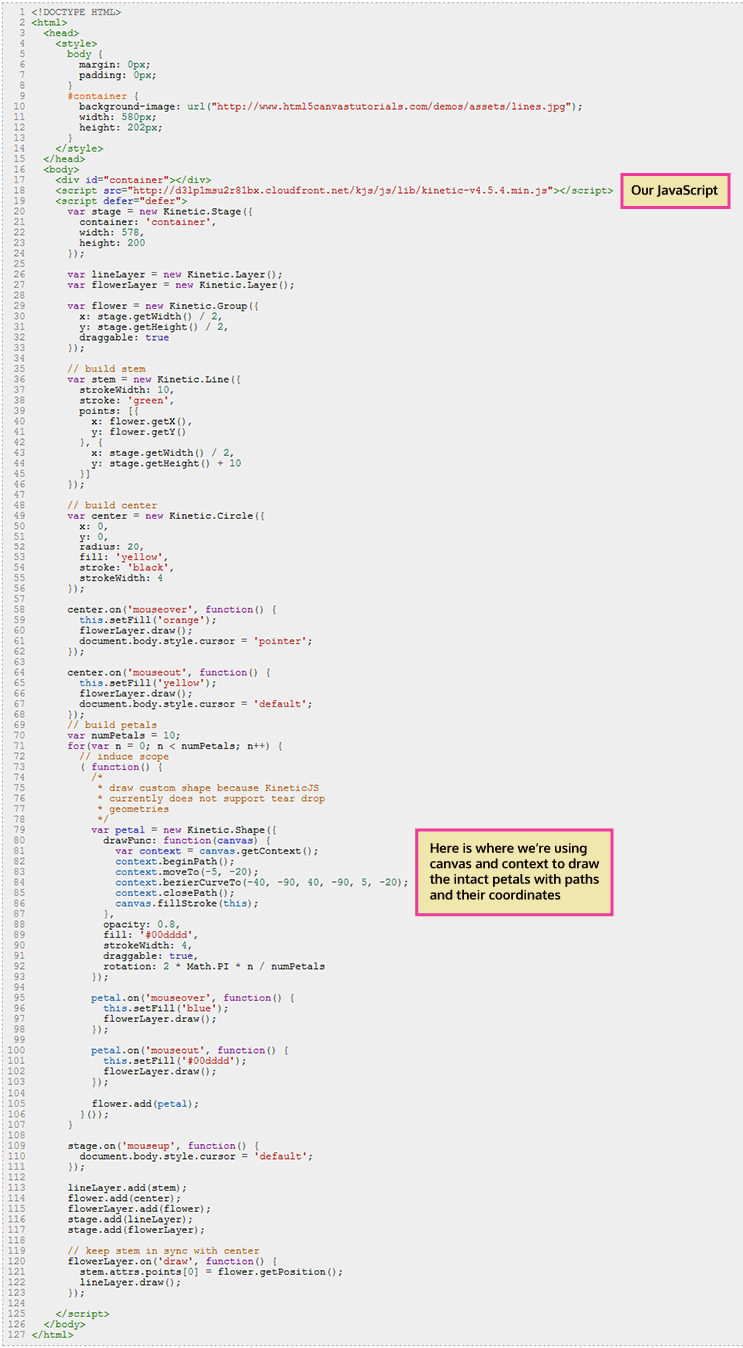
This is the code where <canvas> and JavaScript are used to draw and animate the doomed flower.
Barely Scratching the Surface
<canvas> allows you to do so many things. This is only intended to provide an overview, and highlight one use that web designers may find particularly helpful and another that's just plain fun but may stimulate ideas.